Different Type Of Smartphone Displays In The Market: A Complete Guide to LCD, OLED, AMOLED, and More

Key Takeaways
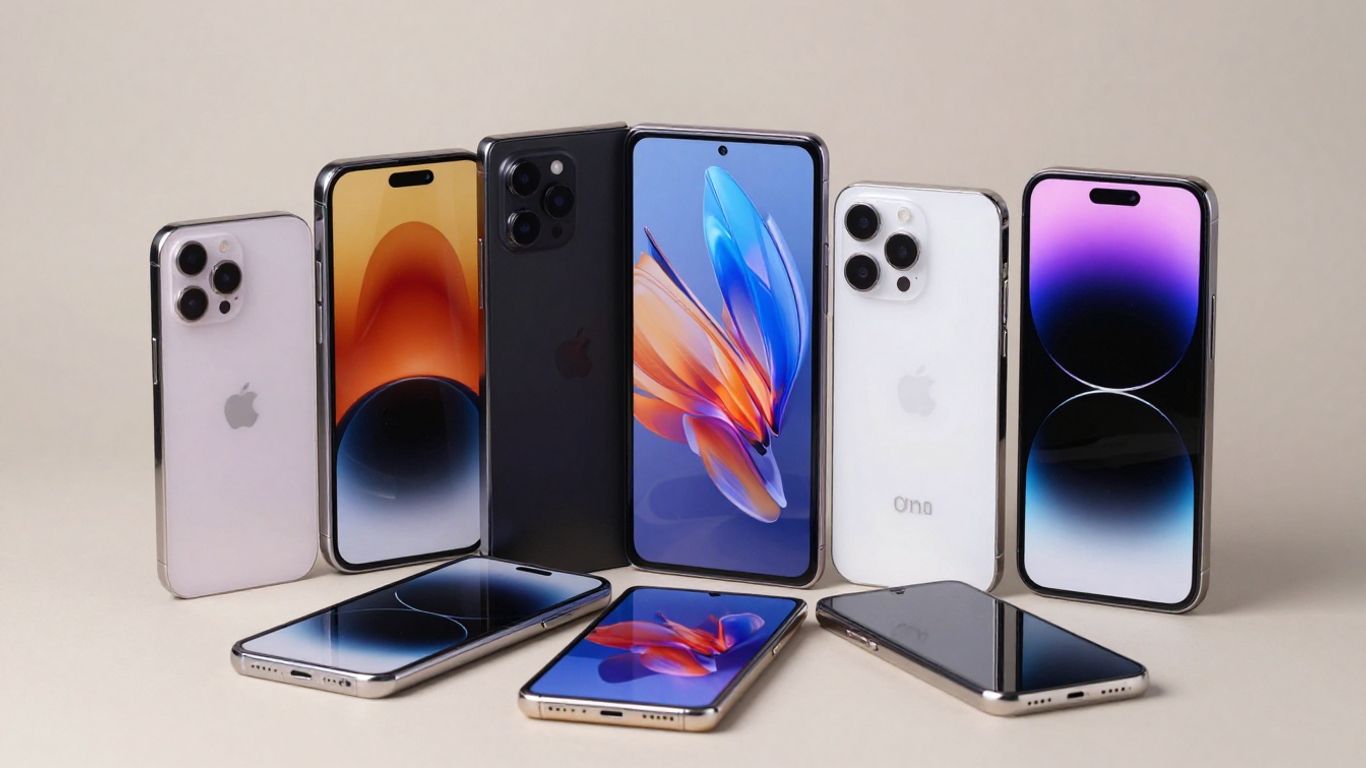
Your phone’s display affects nearly every interaction, from reading outdoors to watching video and playing games. The right choice depends on how you use your phone, not simply on which panel name sounds most advanced.
- LCD remains practical, affordable, and familiar.
- OLED produces deeper blacks because its pixels emit light independently.
- AMOLED is an active-matrix form of OLED commonly used in premium phones.
- LTPO, flexible OLED, Mini-LED, and MicroLED address different future-facing needs.
- Brightness, refresh rate, color, battery use, and durability matter as much as panel type.
- What smartphone display technology means
- LCD displays: The established smartphone standard
- OLED displays: The foundation of modern premium screens
- AMOLED and Super AMOLED displays
- Advanced smartphone display types
- Comparing smartphone displays by real-world performance
- How to choose the right smartphone display
- Conclusion
- Frequently Asked Questions
- Is OLED better than LCD for every smartphone user?
- What is the difference between OLED and AMOLED?
- Does a higher refresh rate always make a phone better?
- Can OLED screens suffer from burn-in?
- Is AMOLED more power efficient than LCD?
- Are foldable displays durable enough for daily use?
- Which display type is best for outdoor use?
What smartphone display technology means
Different Type Of Smartphone Displays In The Market vary mainly in how they create light, control individual pixels, and manage touch input. A display specification can look technical at first, but it becomes easier to understand when you connect it to ordinary activities such as scrolling, gaming, photography, and reading. You do not need to memorize every acronym; you need to know which differences will affect your daily use.
How a smartphone screen produces images
A smartphone screen creates an image by controlling many tiny picture elements, or pixels. Each pixel changes color and brightness quickly enough that your eyes perceive a continuous photograph, video frame, or interface. The phone’s processor sends image information to the display controller, which coordinates those changes across the panel.
On an LCD, light usually comes from a separate backlight and passes through a liquid-crystal layer. OLED-based screens take a different approach: their pixels can produce light directly. That basic distinction explains much of the contrast between the two families.
The role of pixels, subpixels, and backlighting
A pixel commonly contains red, green, and blue subpixels. By varying the intensity of those subpixels, the display creates a broad range of colors. Resolution describes how many pixels occupy the panel, while pixel density also considers screen size; a smaller screen with the same resolution can look sharper.
Backlighting is central to LCD operation because the liquid-crystal layer controls light rather than generating it. OLED screens do not need that conventional backlight, which allows them to turn individual pixels off for very dark areas. The difference is visible in a movie scene with both bright highlights and a black background.
Why display technology affects the user experience
You look at and touch your phone hundreds of times, so the display influences comfort as much as visual quality. A brighter panel can be easier to read outside, while a faster refresh rate can make scrolling feel more fluid. Viewing angles, color tuning, touch response, and power consumption also shape the experience.
The most expensive panel is not automatically the best match. If you mainly read messages and browse indoors, a well-tuned LCD may satisfy you. If you stream frequently or prefer a slim phone with strong contrast, OLED may offer a more noticeable improvement.
Key specifications to compare before buying
Before comparing phones, separate the specifications that describe the panel from those that describe the whole device. Resolution and refresh rate are useful starting points, but peak brightness, adaptive behavior, color accuracy, and protection can matter more in everyday use. The practical difference matters most when a specification matches your habits.
A sensible display checklist includes:
- Panel type, such as IPS LCD, OLED, or AMOLED.
- Resolution and pixel density for text and fine details.
- Refresh rate, including whether it adapts automatically.
- Brightness, especially if you often use the phone outdoors.
- Protection, touch response, and any stated eye-comfort features.
Use the same checklist when comparing prices, because a lower-cost phone can still have the feature that matters most to you. For broader shopping advice, a smartphone buying guide can help you weigh display specifications alongside storage, support, and total ownership cost.
LCD displays: The established smartphone standard
LCD remains widespread because it is a mature display technology with established manufacturing and predictable performance. It uses a backlight behind a liquid-crystal layer, so the screen can produce bright images without each pixel generating its own light. You will find LCD in many affordable and mid-range smartphones.
The label LCD covers several implementations, and the quality of one LCD phone can differ substantially from another. Panel tuning, backlight strength, resolution, and protective glass all influence what you see.
How TFT LCD and IPS LCD panels work
TFT refers to the thin-film transistor system used to control pixels, while IPS is a panel arrangement designed to improve viewing angles and color consistency. In a typical LCD, the backlight shines through polarizing layers and liquid crystals; electrical signals adjust how much light passes through each pixel.
IPS LCD became popular in phones because it generally offers more stable colors when you move off-axis than older arrangements. It still depends on a backlight, however, so black areas may appear dark gray rather than completely black.
Advantages of LCD screens
LCD panels can deliver strong brightness and natural-looking images at accessible prices. Their mature production also makes replacement parts and device designs relatively common. For many shoppers, that combination is more valuable than a premium panel’s extra contrast.
LCD can also avoid the specific organic-pixel aging behavior associated with OLED. That does not make every LCD indestructible, but it may appeal to you if the phone will show static interface elements for long periods.
Limitations of LCD screens
Because the backlight is active behind the entire panel, LCD cannot independently switch each pixel completely off. This limits black depth and contrast in dark scenes. The backlight and additional layers can also make some LCD phones thicker than comparable OLED designs.
Viewing angles and uniformity depend on the panel’s quality. A budget LCD may show more color shift, uneven brightness, or slower touch and pixel response than a carefully tuned panel, so the technology label alone cannot predict the whole experience.
Which users may prefer LCD smartphones
You may prefer LCD if your main priorities are affordability, bright general use, and a familiar display character. It can be a sensible choice for messaging, browsing, navigation, and long periods of reading, particularly when the phone offers a comfortable brightness range.
For example, the iQOO Z11x 5G is documented with an LCD display and also emphasizes battery endurance and durability. That makes its display type relevant to shoppers who value those broader practical priorities rather than assuming every mid-range phone needs OLED.
OLED displays: The foundation of modern premium screens
OLED stands for organic light-emitting diode. Instead of placing a liquid-crystal shutter over a separate backlight, an OLED panel uses light-emitting organic material in its pixels. This construction enables very dark blacks, high contrast, and thin screen designs.
OLED is a broad category rather than one single specification. Different phones can use OLED panels with different brightness levels, calibration, refresh behavior, protective layers, and durability characteristics.
How OLED pixels create light independently
In an OLED screen, electrical current causes organic layers to emit light. Each pixel can be controlled independently, so a black pixel can remain off while nearby pixels display color or white. There is no conventional LCD backlight illuminating the whole panel.
This self-emissive structure also gives manufacturers flexibility when designing thin or curved phones. It does not mean every OLED screen has identical image quality, since materials, calibration, and control electronics still matter.
Benefits of deeper blacks and higher contrast
When dark pixels are switched off, black areas can look genuinely black rather than backlit gray. This produces high perceived contrast, particularly in films, photographs, and dark-themed interfaces. OLED can also make bright details stand out against a dark background.
The thin structure can support slimmer devices and curved edges, while independent pixel control can help reduce power use in interfaces with many dark areas. The saving varies with brightness, content, and the phone’s software settings.
Common OLED drawbacks, including burn-in
OLED panels can show image retention or burn-in when the same high-contrast elements remain visible for very long periods. Modern phones use software and panel-management techniques to reduce the risk, but they cannot make organic materials immune to aging.
OLED phones can also cost more, and some users notice brightness changes, color shifts at angles, or flicker under certain dimming systems. Whether those issues matter depends on your eyes and how you use the device, so trying a phone in person can be worthwhile.
How OLED compares with traditional LCD
OLED generally wins on black levels, contrast, thinness, and design flexibility. LCD can remain competitive on price, sustained bright scenes, and familiarity. Neither technology is universally superior because panel quality and tuning can outweigh the category label.
If you watch a lot of video in a dim room, OLED’s contrast is likely to be obvious. If you want a lower-cost phone for ordinary daylight tasks, a good LCD may deliver all the quality you need.
AMOLED and Super AMOLED displays
AMOLED means active-matrix organic light-emitting diode. It is an OLED display controlled by an active-matrix transistor arrangement, allowing the phone to address pixels quickly and precisely. Super AMOLED is a related branding term generally associated with integrating the touch layer into the display stack.
These names can sound like separate generations, but they describe related parts of the same display family. To judge a phone fairly, you should still check brightness, refresh rate, resolution, calibration, and protection rather than relying on “AMOLED” alone.
What makes AMOLED different from basic OLED
The key distinction is the active-matrix control system. Each pixel is managed through a thin-film transistor circuit, which supports accurate addressing across a dense, fast-moving panel. In smartphone use, this helps the screen respond efficiently as content changes.
Basic OLED is a broad description of a self-emissive display. AMOLED identifies a particular method of driving those pixels, so the two terms are related rather than direct opposites.
How active-matrix technology improves responsiveness
An active-matrix backplane gives each pixel more direct control than a passive arrangement. That makes it suitable for the high pixel counts, rapid animation, and frequent updates expected from modern smartphones. Scrolling and video benefit when the panel, touch digitizer, and software work together.
Responsiveness still depends on more than the panel. Touch sampling, processor performance, refresh rate, and software optimization can all affect how immediate the phone feels when you swipe or play a game.
Super AMOLED features and touch-layer integration
Super AMOLED commonly refers to a design in which the touch-sensing layer is integrated into the display rather than added as a separate layer above it. Fewer layers can improve thinness and may reduce reflections between the image and your finger.
The exact implementation varies, so you should treat the name as a clue rather than a complete performance guarantee. Check independent reviews or a store display if outdoor readability and touch feel are important to you.
When AMOLED displays are worth the extra cost
AMOLED is worth considering when you value strong contrast, dark-mode efficiency, a slim design, or smooth premium presentation. It can be especially appealing for streaming, photography, and games with rich shadows and bright highlights.
The premium may be less useful if your phone is mainly a communication tool or if a lower price matters more than deep blacks. Compare the complete phone, because spending more on the panel may mean compromising storage, cameras, charging, or repair cost.
Advanced smartphone display types
Display development now focuses on efficiency, flexibility, brightness, and new manufacturing approaches. LTPO OLED can vary its refresh rate, flexible OLED supports foldable designs, and Mini-LED and MicroLED explore different routes to high contrast and brightness.
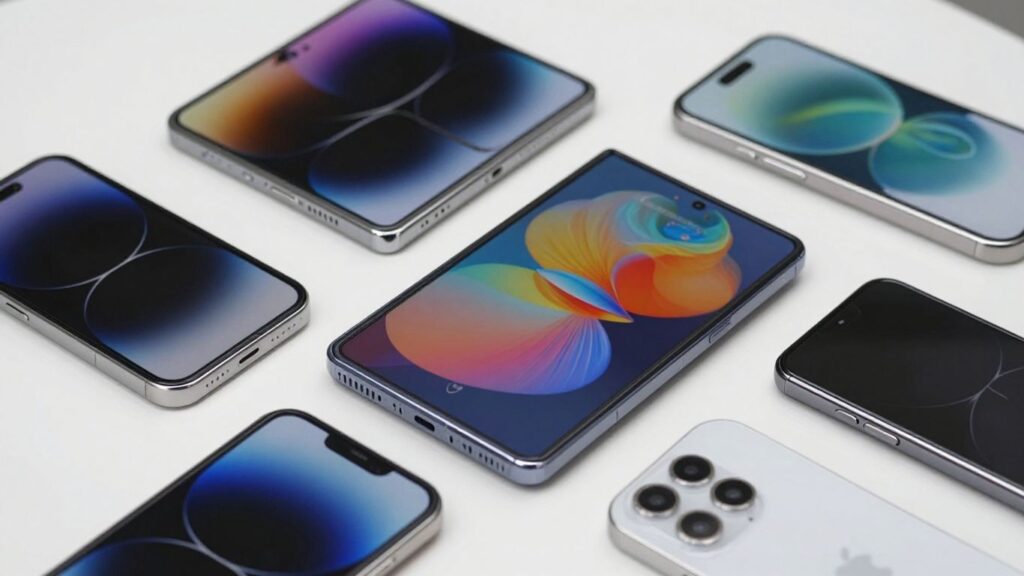
Some of these technologies are already available in selected phones, while others remain limited by cost, manufacturing complexity, or thermal demands. Their value depends on whether the underlying advantage solves a problem you actually have.
LTPO OLED and adaptive refresh rates
LTPO is a backplane technology used with OLED that can support a wider range of refresh rates. The phone can raise the refresh rate during scrolling or gaming and lower it for static content, potentially reducing power use.
The benefit is not automatic in every situation. Software must manage the transitions well, and the panel’s brightness and calibration still influence the experience. Look for the actual refresh range and adaptive behavior rather than the LTPO label alone.
Flexible OLED and foldable phone screens
Flexible OLED panels can bend because they use flexible layers instead of the rigid glass structure associated with many traditional screens. This makes foldable phones and curved designs possible. A foldable display can give you a larger working area without making the closed phone as wide as a tablet.
The moving hinge, protective surface, and crease introduce extra engineering challenges. You should consider repair cost, dust and water resistance, and the manufacturer’s care instructions before choosing a foldable phone.
Mini-LED and its potential smartphone applications
Mini-LED uses many small light-emitting diodes in a backlight behind an LCD layer. With more independently managed lighting zones, it can improve contrast and brightness compared with conventional LCD. It still differs from OLED because the light source is a backlight rather than individual self-emissive pixels.
On a smartphone, size, heat, thickness, and the number of zones affect how practical the approach is. It may be useful where very high brightness matters, but it does not automatically remove blooming around bright objects on dark backgrounds.
MicroLED and the future of mobile displays
MicroLED uses microscopic inorganic LEDs as individual light sources. In principle, it combines self-emissive pixels with high brightness, strong contrast, and long operating life. Manufacturing tiny, uniform LEDs at smartphone scale remains difficult and expensive.
For now, MicroLED is better understood as a developing direction than a routine buying category. You are more likely to make a practical decision by comparing established LCD, OLED, and AMOLED implementations available in the phones you can actually purchase.
Comparing smartphone displays by real-world performance
Display labels tell only part of the story. Two OLED phones can differ in brightness, color calibration, dimming behavior, and outdoor readability, just as two LCD phones can feel completely different. Real-world performance gives you a more useful basis for comparing devices.
The smartphone display comparison from FindLight is a useful starting point for understanding how LCD and OLED structures affect image quality, viewing angles, longevity, and thickness. You should then check the specific phone’s measurements and user experience.
Brightness and outdoor visibility
Brightness determines how easily you can see text, photographs, and maps in direct or indirect sunlight. Peak brightness figures may describe short bursts in limited conditions, while sustained brightness is often more relevant when you are outside for a long time.
A screen’s anti-reflective coating, automatic brightness behavior, and contrast also matter. A phone with a high headline number can still be uncomfortable if reflections overwhelm the image.
Refresh rate and motion smoothness
Refresh rate describes how often the display can update its image each second. Moving from 60Hz to 90Hz or 120Hz can make scrolling and compatible games look smoother, though the improvement varies by person and content.
Higher refresh rates can consume more power, which is why adaptive systems are useful. You should also check touch sampling and frame-rate support, since a fast panel cannot make poorly optimized software feel smooth.
Color accuracy and viewing angles
Color accuracy matters when you edit photos, shop online, or want movies to look close to the creator’s intent. Saturated colors may appear impressive in a store but can be less faithful. Many phones offer display modes that let you choose between vivid and natural output.
Viewing angles reveal how consistently the panel maintains brightness and color as you tilt the phone. OLED and quality IPS LCD panels can both perform well, but individual implementation remains decisive.
Power consumption and battery life
Display power use depends on panel type, brightness, refresh rate, resolution, and the content shown. OLED can save power when many pixels are dark because those pixels can turn off, while a bright full-screen image may draw substantial energy.
Battery capacity and software optimization often matter just as much. When evaluating deals, do not trade away a comfortable display for a slightly larger battery without considering how you use the phone each day.
Durability, repairability, and screen protection
A display’s durability includes more than scratch resistance. You should consider drop protection, glass type, frame design, water resistance, replacement cost, and whether the phone is easy to repair. Foldable screens require particular care because their flexible surfaces and hinges add complexity.
A case and screen protector can reduce everyday damage, but they may also affect touch sensitivity or add reflections. Check compatibility before buying accessories, especially for curved or foldable panels.
How to choose the right smartphone display
Choosing among the different type of smartphone displays in the market becomes easier when you start with your routine. Think about where you use your phone, what content you watch, how long you keep it, and which compromises you can accept. A useful purchase is one that fits those answers rather than one that simply has the longest specification list.
Selecting a display for gaming and streaming
For gaming, prioritize refresh rate, touch response, sustained brightness, and thermal behavior. A smooth panel is helpful, but the processor must also maintain game frame rates. For streaming, contrast, black levels, speaker quality, and comfortable brightness may matter more than maximum resolution.
AMOLED or OLED can make dark scenes and colorful game environments look more vivid. Still, a well-tuned LCD with a fast refresh rate can be a strong value if you play mostly in bright rooms.
Choosing a screen for photography and creative work
If you edit photographs or video, look for accurate color modes, stable viewing angles, adequate resolution, and enough brightness to judge detail. A vivid mode may make images appear attractive while hiding whether the display is faithful.
You should also consider storage, camera output, and software tools. The screen is your workspace, but it cannot compensate for poor source files or limited editing controls.
Finding the best balance between price and quality
A good-value phone does not need every premium display feature. You might choose an LCD with strong brightness and a high refresh rate, or an OLED model with excellent contrast but a lower refresh ceiling. Decide which compromise you will notice least.
For current shopping research, the Realme P4s 5G is documented with a 6.78-inch 144Hz AMOLED display that performs well in sunlight, along with an 8,000mAh battery and 80W charging. Those stated features illustrate why you should compare the display with battery and charging priorities together, not in isolation.
Considering eye comfort and daily usage
Eye comfort can depend on brightness, flicker behavior, text size, viewing distance, and how long you use the phone. If you are sensitive to flicker, investigate the phone’s dimming method and test it at low brightness when possible. A warm or natural color mode may also feel easier during evening use.
No panel type guarantees comfort for every person. Take breaks, increase text size when needed, and avoid judging a phone only under bright shop lighting.
Checking display specifications before purchase
Before buying, verify the panel type, resolution, refresh-rate range, brightness claims, protection, warranty, and repair terms. Read the fine print around peak brightness and adaptive refresh, since those figures may not describe every situation. Also check whether the model sold in your market has the same panel specification as another regional version.
A deal is useful only when the phone’s compromises suit you. Compare the final price, return policy, and long-term support alongside the display, then choose the screen you will enjoy using rather than the one with the most impressive acronym.
Conclusion
The best smartphone display is the one that matches your eyes, habits, and budget. LCD offers dependable value, OLED and AMOLED bring deeper contrast and flexible designs, and newer technologies target efficiency or unusual form factors. Once you compare brightness, refresh behavior, color, power use, and durability alongside the panel name, you can make a clearer buying decision.
Frequently Asked Questions
Is OLED better than LCD for every smartphone user?
No. OLED usually offers deeper blacks and higher contrast, while LCD can provide strong value, bright general performance, and familiar behavior. Your usage and budget should decide which advantages matter more.
What is the difference between OLED and AMOLED?
OLED describes a self-emissive display family, while AMOLED identifies an OLED panel controlled with an active-matrix system. AMOLED is therefore a type of OLED rather than a completely unrelated technology.
Does a higher refresh rate always make a phone better?
A higher refresh rate can make scrolling and supported games feel smoother, but it may use more power. Software optimization, touch response, and sustained performance also affect how smooth the phone feels.
Can OLED screens suffer from burn-in?
Yes. Long-term display of the same bright, static elements can contribute to burn-in or uneven aging. Modern phones use mitigation techniques, but careful usage and varied content can still help.
Is AMOLED more power efficient than LCD?
AMOLED can use less power when displaying dark content because individual pixels can turn off. Bright, full-screen content may reduce that advantage, and total battery life also depends on brightness, software, and battery capacity.
Are foldable displays durable enough for daily use?
Foldable phones are designed for regular use, but their flexible screens and hinges introduce additional care requirements. Check the device’s protection, water resistance, warranty, and repair options before buying.
Which display type is best for outdoor use?
The brightest well-calibrated panel is usually the better choice outdoors, regardless of whether it is LCD or OLED. Look for sustained brightness, effective automatic adjustment, low reflectivity, and good contrast rather than relying only on the panel name.