

Key Takeaways
A 6GB Android phone can still be a sensible choice when you match it to your habits and budget. Look beyond the memory figure before you buy.
- 6GB of RAM is generally suitable for everyday browsing, messaging, streaming, and moderate multitasking.
- Processor quality, storage speed, battery life, and software support can matter as much as RAM capacity.
- Demanding games, heavy editing, and frequent app switching may expose the limits of 6GB sooner.
- A bright display, dependable updates, and adequate internal storage can make a phone more pleasant to keep.
- Compare real-world reviews and final deal prices rather than choosing from the RAM number alone.
- What 6GB of RAM means on an Android smartphone
- How 6GB RAM performs in common use cases
- Key specifications to compare beyond RAM
- Software and update support to evaluate
- Choosing a 6GB RAM phone for different budgets
- Common limitations and buying mistakes
- How to select the best Android smartphone with 6GB RAM
- Conclusion
- Frequently Asked Questions
What 6GB of RAM means on an Android smartphone
RAM is the short-term working space your phone uses for the operating system, open apps, and active tasks. With 6GB available, you have a moderate amount of room for everyday Android use, but the experience still depends on the processor, software, and memory management. The number is useful, though it is not a complete performance rating. If you are comparing Android Smartphones with 6GB RAM, think of RAM as one part of the phone rather than its headline verdict.
How RAM affects multitasking and app switching
When you move between apps, Android may keep some of them ready in RAM so they can reopen quickly. A phone with 6GB can usually handle a browser, messaging, music, email, and social apps without constant reloads, particularly when those apps are not unusually demanding. If you open several large games or editing tools, however, older apps may refresh when you return to them.
That refresh is not automatically a fault. It can be the system reclaiming memory for the task in front of you. What matters is how often it happens during your normal routine and whether the reload takes a moment or becomes a repeated interruption.
The difference between RAM and internal storage
RAM holds active working data temporarily, while internal storage keeps your apps, photos, videos, downloads, and system files when the phone is switched off. A 128GB phone with 6GB of RAM therefore gives you more space for files, not more room for keeping apps active at once. Confusing the two is one of the easiest ways to misread a retailer listing.
Storage capacity still affects how comfortable the phone feels over time. If you take lots of photos, download offline video, or install large games, 64GB may become cramped even when 6GB of RAM is enough. Check whether a model supports a memory card, but remember that expandable storage is not available on every phone.
Why Android software uses available memory dynamically
Android does not treat unused RAM as a goal. It typically uses available memory to keep the system and recent apps responsive, then releases space when another task needs it. As a result, a phone showing substantial memory use is not necessarily running poorly.
The better test is behavior: how quickly apps open, whether switching feels consistent, and how often background apps restart. Software versions and manufacturer interfaces can make two phones with the same RAM behave differently, so capacity alone cannot predict the whole experience.
When 6GB of RAM is enough for everyday use
For calls, navigation, email, web browsing, messaging, social feeds, and occasional photos, 6GB is often a reasonable starting point. You can also stream music while using another app and move between several light tasks without much trouble. Your expectations should be more modest if you want to keep many demanding apps active for long periods.
A useful comparison is the phone’s complete package: processor, storage speed, display, battery, and update policy. This is also why a budget smartphone deals guide can be useful alongside specification sheets; the best value is not always the device with the largest memory number.
How 6GB RAM performs in common use cases
The same 6GB phone can feel quick for one person and limiting for another. Your app choices, network habits, camera use, and tolerance for reloads all shape the result. Everyday performance is usually a balance between memory capacity and the rest of the hardware. Use the following situations as practical benchmarks rather than strict promises.

Browsing, messaging, and social media
Web pages, chat apps, email, and social platforms are usually manageable on 6GB, especially when you use a modern mid-range processor and do not keep dozens of tabs open. Text-heavy pages are less demanding than media-rich feeds, where autoplay video and embedded content can use more resources. You may notice reloads after extended browsing sessions or after switching through several camera-heavy apps.
For most people, the more noticeable differences come from touch response, network performance, and display quality. A well-tuned 6GB phone can feel more pleasant than a poorly optimized model with more memory.
Streaming video and listening to music
Video streaming generally does not require a large amount of RAM once playback is established. You can watch a show, listen to music in the background, and answer messages without needing a high-memory phone. The quality of the screen, speakers, wireless connection, and battery has a greater effect on the experience than the RAM figure alone.
Offline downloads deserve a little planning. High-resolution video can consume storage quickly, and switching between several streaming apps may cause one of them to reload. That is a manageable trade-off for many users, provided the phone has enough internal space.
Mobile gaming and graphics performance
6GB can support casual games and many mainstream titles, but RAM is only one part of gaming performance. The processor and graphics hardware determine much of the rendering speed, while cooling and battery capacity influence how consistently the phone performs during longer sessions. A high refresh-rate screen cannot compensate for a weak chipset.
If gaming is a priority, read tests that cover sustained play rather than relying on a short benchmark. You should also check storage speed, as large games can take longer to install and load on slower memory.
A useful gaming review should tell you whether performance remains stable after the phone warms up. It should also mention controls, speaker placement, display brightness, and charging behavior, because those details affect how enjoyable a session feels.
Photography, editing, and productivity apps
The camera app may use more memory when it processes high-resolution images, saves several shots, or switches between modes. Basic photo editing, document work, video calls, and note-taking are usually comfortable on 6GB, but complex edits and longer video projects can put more pressure on both RAM and storage.
You should consider how much time you spend in these apps. A person who crops photos and edits short clips occasionally may be perfectly happy, while a creator moving large files between a camera, editor, and cloud service may benefit from a stronger processor and more memory.
Key specifications to compare beyond RAM
RAM is easy to advertise, which makes it tempting to use as a shortcut. A better comparison considers the components that determine speed, comfort, and how long the phone remains useful. You do not need to understand every technical abbreviation, but you should know what each major specification means for your routine.
Processor performance and energy efficiency
The processor affects app launches, gaming, camera processing, connectivity, and battery use. Two phones with 6GB of RAM may feel very different if one has a faster or more efficient chip. Look for independent tests that measure sustained performance, not just a peak result obtained during a short run.
When comparing phones, use the processor as part of a wider picture. This quick framework keeps the main trade-offs visible:
| Specification | What it influences | What to check |
|---|---|---|
| Processor | App speed, gaming, camera processing | Sustained tests and efficiency |
| Storage type | App launches and file transfers | Modern, faster storage where available |
| Display | Comfort, clarity, and outdoor use | Resolution, refresh rate, brightness |
| Battery and charging | Endurance and time spent plugged in | Capacity, charging speed, and charger support |
The table is a starting point, not a substitute for reviews. A balanced phone with moderate figures can be more satisfying than one that wins a single specification comparison.
Internal storage capacity and expandable storage
Storage determines how many apps, photos, videos, and offline files you can keep. For light use, 128GB may be comfortable; heavy camera use and large games can make more space worthwhile. You should check how much capacity remains after system files and preinstalled apps are counted.
A memory card slot can add flexibility, especially if you store music, photos, or documents locally. It may not provide the same speed as the phone’s internal storage, and some apps or large games may still prefer internal space. Confirm the exact configuration rather than assuming every version includes expandable storage.
Display quality, refresh rate, and brightness
The display is the part of the phone you look at all day. Resolution affects text and image sharpness, refresh rate can make scrolling feel smoother, and brightness determines whether the screen remains readable outdoors. Panel quality and calibration also matter, so a higher number on one line does not guarantee a better view.
Think about your habits. If you read for long periods, prioritize comfortable viewing and good brightness. If you play games or scroll frequently, smooth motion may be more valuable. A balanced screen can make a 6GB phone feel more polished in daily use.
Battery capacity and charging speed
Battery capacity gives you a rough idea of endurance, but processor efficiency, display settings, signal strength, and software all affect how long the phone lasts. Charging speed is about convenience rather than total battery life: a faster system can reduce the time you spend waiting, provided the compatible charger is included or available.
As an example of why the whole specification sheet matters, the realme NARZO 90x buying guide discusses a 7,000mAh battery and 60W charging while also calling attention to its HD+ display and storage considerations. The lesson is not to copy one specification, but to weigh the benefits against the trade-offs.
Software and update support to evaluate
A phone’s software shapes how the hardware feels from the first day onward. Android version, interface design, background activity, and update support can influence speed, battery life, security, and app compatibility. These details are easy to overlook when a retailer page leads with RAM and camera megapixels.
Android version and manufacturer interface
The Android version affects available features, permission controls, compatibility, and the general design of the phone. Manufacturer interfaces can add useful tools, but they can also change menus and include extra apps. Try the phone in person if possible, or watch a hands-on review that shows the software rather than only discussing specifications.
You should also check whether the advertised Android version is the version installed today or a promised future update. A clear update record is more useful than a vague statement about upcoming support.
Security update frequency and support period
Security updates help address known problems and keep a phone more suitable for long-term use. Before buying, look for a stated support period and a realistic update schedule. The remaining support time matters especially when you are considering an older model or a refurbished device.
Do not treat a lower price as a bargain if support is nearly finished and you intend to keep the phone for several years. A modestly more expensive phone with clearer support may cost less frustration over its useful life.
Preinstalled apps and background processes
Preinstalled apps occupy storage and may run background processes. Some are useful, while others add notifications or duplicate tools you already prefer. A clean setup can help a 6GB phone feel less crowded, although the effect varies by software version and manufacturer.
Read reviews for comments about advertisements, duplicated apps, notification behavior, and uninstall options. These practical details often tell you more about everyday comfort than a product page’s memory headline.
Features that improve memory management
Some phones offer tools that limit background activity, pause unused apps, or extend virtual memory through storage. These features may help in specific situations, but they should not be treated as a direct replacement for physical RAM. Storage-based extensions can behave differently from actual RAM and may add little benefit for your routine.
Check whether memory-management controls are understandable and reversible. If the phone aggressively closes apps, you may save resources but lose the convenience of returning to an active task.
Choosing a 6GB RAM phone for different budgets
Your budget affects more than the amount of RAM listed on the box. Lower-priced phones may pair 6GB with slower storage or a simpler display, while mid-range models often balance better processors, cameras, and software. Used and refurbished devices add another set of questions about battery health and support. Start with the experience you need, then see which deal fits it.
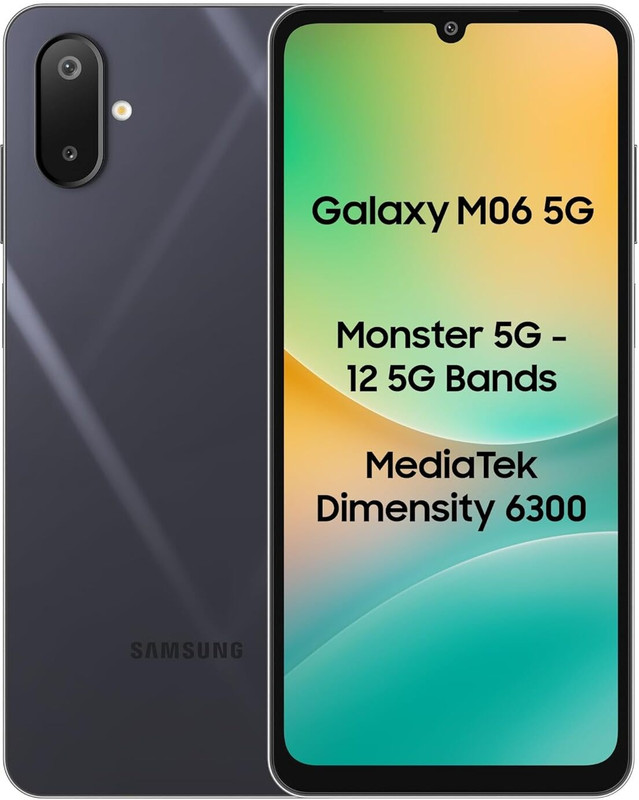
Samsung M06 5G (Blazing Black, 128 GB)(6 GB RAM)
 Flipkart
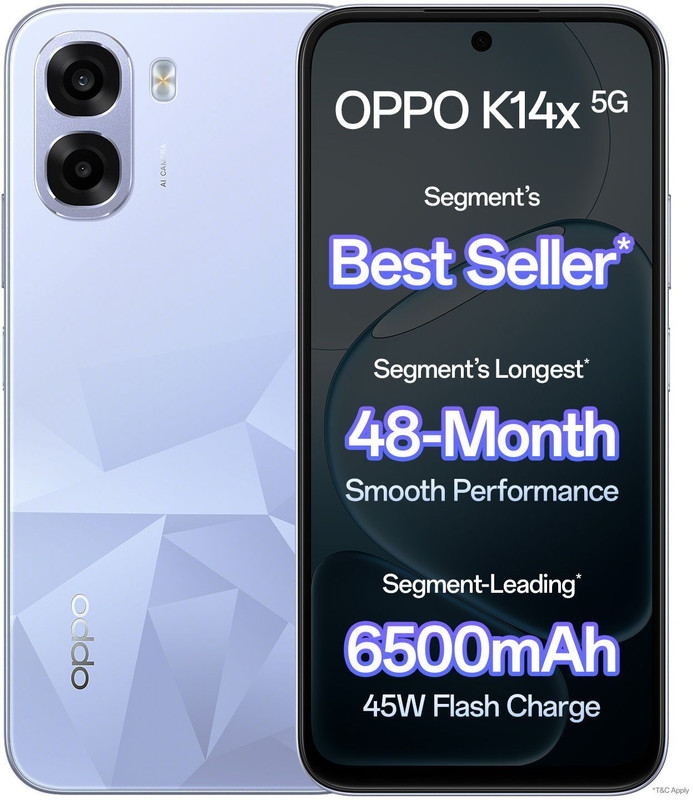
OPPO K14x 5G 6500mAh and 45W SUPERVOOC Charger & AI (Icy Blue, 128 GB)(6 GB RAM)
Flipkart
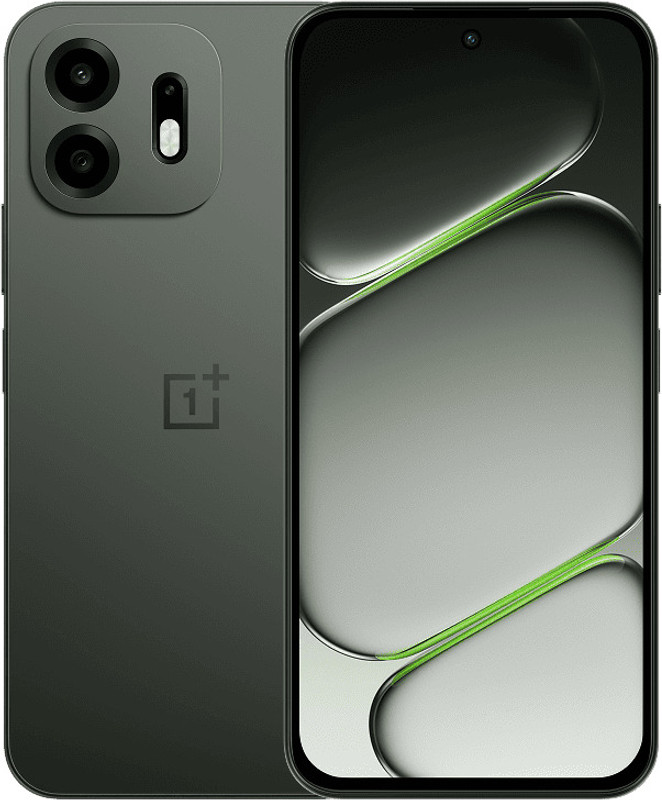
OnePlus N6 5G (Midnight Green, 128 GB)(6 GB RAM)
Flipkart
Always On - OnePlus N6 boasts the biggest 8000mAh battery and the fastest 45W charging in the segment for an uninterrupted entertainment experience. Built for the long haul, this battery is engineered to stay healthy and reliable for 7 years, keeping your daily grind completely charge-anxiety...

POCO C85 5G (Power Black, 128 GB)(6 GB RAM)
Flipkart
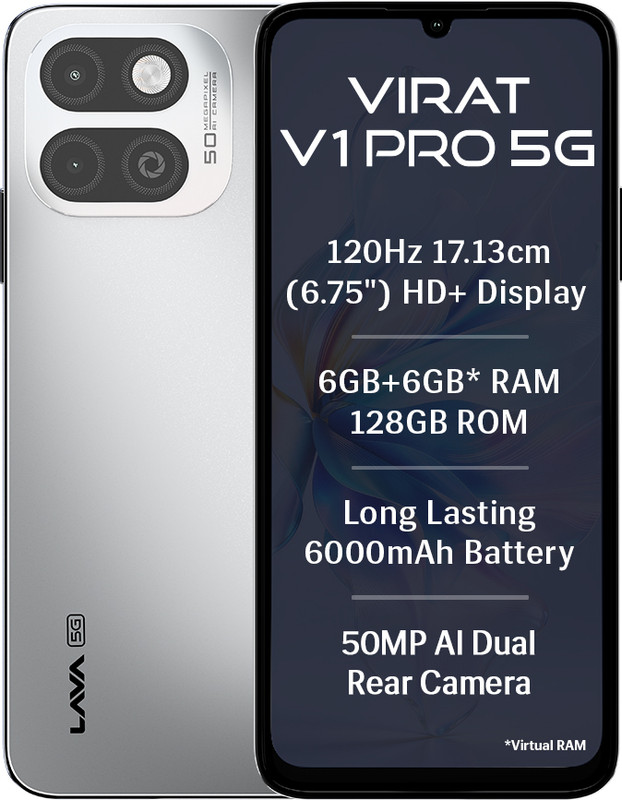
LAVA Virat V1 Pro 5G (Spiti Frost, 128 GB)(6 GB RAM)
Flipkart
What to expect from entry-level models
An entry-level 6GB phone can be a practical choice for communication, browsing, streaming, and light photography. You may need to accept a simpler camera system, lower display brightness, slower charging, or more frequent app reloads. Those compromises are easier to live with when your main tasks are straightforward.
Check the actual storage capacity and processor before you buy. A low price is less attractive if the phone feels slow immediately or fills up after a small collection of photos and apps.
Features commonly found in mid-range phones
Mid-range phones often offer a more capable processor, faster storage, brighter displays, better cameras, and quicker charging than entry-level devices. The improvements may be more noticeable in daily use than a move from 6GB to a slightly larger RAM configuration. You should still inspect the exact version, because memory and storage combinations can vary by market.
For example, the iQOO Z11x guide describes a 7,200mAh battery, 44W charging, a 50MP camera, and four years of security updates, while also identifying an LCD display and LPDDR4X RAM. That combination shows why a phone should be assessed as a package rather than by one attractive number.
When an older flagship may offer better value
An older flagship may provide a stronger processor, better cameras, higher-quality materials, or a more advanced display at a reduced price. It can be appealing if those qualities matter more to you than having the newest design. However, its remaining software support, battery condition, and repair costs need careful checking.
Do not assume an older premium phone is automatically faster or better. Compare current battery health, storage capacity, update eligibility, and warranty terms against a new mid-range alternative.
How to assess refurbished and used devices
Refurbished and used phones can lower the upfront cost, but the condition needs to be clear. Ask about battery health, screen damage, water exposure, unlocked status, included accessories, and the length of the return window. Check the IMEI or equivalent device identifier through appropriate channels before committing.
A short inspection checklist keeps the decision grounded:
- Confirm that the exact RAM and storage variant matches the listing.
- Test the charging port, cameras, speakers, microphones, and fingerprint reader.
- Check the screen for burn-in, dead pixels, cracks, or uneven brightness.
- Verify that the phone is not carrier-locked or linked to another account.
These checks reduce the chance that a low sticker price hides an expensive repair. A clear warranty and return policy can be worth paying slightly more for.
Common limitations and buying mistakes
A 6GB phone is not automatically a poor choice, but it has boundaries. Problems usually appear when several demanding tasks overlap, when storage is slow or nearly full, or when software consumes too many resources. Knowing those boundaries helps you avoid paying for a specification that does not match your routine.
Situations where 6GB may feel restrictive
You may notice limits when switching between large games, editing high-resolution video, keeping many browser tabs open, or using several camera and communication tools at once. On-device features that require substantial local processing can also increase pressure on memory. In these situations, apps may reload more often or take longer to resume.
That does not mean every heavy user needs the maximum available RAM. It means you should compare your actual workflow with hands-on tests and consider whether a faster processor or more storage would solve the bigger problem.
Why more RAM does not always mean faster performance
More RAM can give apps more room to remain open, but it does not by itself make animations faster or games render more quickly. Processor architecture, storage speed, thermal behavior, software tuning, and display settings all contribute to responsiveness. A phone with less RAM can feel smoother if the rest of its system is better balanced.
This is why reviews that compare real app launches and sustained use are valuable. A specification sheet can tell you what a phone contains; it cannot fully tell you how it feels after a week of use.
How storage speed affects overall responsiveness
Storage speed influences app installation, file transfers, camera saving, and how quickly large apps open. When storage is slow or nearly full, the phone may feel sluggish even though its RAM capacity appears adequate. Keeping some free space can help maintain a smoother routine, though it cannot turn slow hardware into fast hardware.
Pay attention to reviewers who mention loading times rather than only benchmark scores. If you frequently record video, edit photos, or install large games, storage performance deserves a place near RAM on your shortlist.
Warning signs in specifications and retailer listings
Listings can be confusing when they combine physical RAM with virtual or extended memory. They may also omit the processor model, display brightness, update commitment, or the exact storage type. A headline such as “up to” may describe a configuration that is not the one being sold.
Before placing an order, verify the model number, RAM and storage combination, warranty, charger, network bands, and return terms. You can also browse 6GB RAM listings to see how varied the combinations can be, but inspect the individual product details before treating any listing as a recommendation.
How to select the best Android smartphone with 6GB RAM
Choosing well is less about finding a perfect specification and more about removing bad fits. Begin with your habits, identify the compromises you can tolerate, and compare the final prices available in your market. Deal tracking can help, but a discount does not rescue a phone that fails your essential requirements.
Define your performance and camera priorities
Write down the tasks you perform most often before comparing models. If you mainly message, browse, and stream, display quality and battery life may matter more than gaming performance. If you take many photos or edit video, prioritize the camera system, processor, storage, and file capacity alongside RAM.
It helps to separate must-haves from nice-to-haves. A dependable camera, bright display, or memory card slot may be more valuable to you than a larger number printed beside memory.
Compare independent tests and real-world reviews
Look for reviews that describe sustained performance, battery endurance, camera behavior, outdoor visibility, software interruptions, and app reloads. Short benchmark results are useful for context, but they should not be your only evidence. Pay special attention to tests using the same RAM and storage configuration you plan to buy.
A phone guide such as the OnePlus Nord CE4 review can illustrate this broader approach: it discusses battery life and 100W charging while also raising questions about camera quality, storage choices, and whether its processor is suited to your needs. Use that style of comparison for any model, not just one brand.
Check compatibility with your carrier and region
A phone can be excellent on paper and still be inconvenient if it lacks the network bands your carrier uses. Confirm 4G and 5G compatibility, SIM or eSIM support, regional software differences, warranty coverage, and whether the phone is unlocked. Imported versions may have different chargers, update schedules, or service arrangements.
Also check the seller’s return policy before buying from a marketplace. A lower price is useful only when the device can be returned or supported if the regional version is not suitable.
Balance price, longevity, and upgrade potential
Set a total ownership budget that includes a case, charger if needed, storage accessories, and possible repairs. Then compare how long you expect to keep the phone with its update support and battery replacement options. When a discount appears, use it to improve the overall fit rather than simply moving to a higher RAM figure.
PromoDeals can help you find smartphone promotions and price drops gathered from across the internet, but you should still verify the seller, configuration, and terms. The strongest purchase is the one that meets your daily needs today and remains comfortable enough to keep tomorrow.
Conclusion
A 6GB Android phone can serve you well when your use is centered on everyday apps, streaming, communication, and moderate multitasking. Judge it alongside the processor, storage, display, battery, software support, and final deal price. Once you know which compromises you can accept, choosing among Android Smartphones with 6GB RAM becomes a practical comparison rather than a race to the biggest number.
Frequently Asked Questions
Is 6GB of RAM enough for an Android phone?
For browsing, messaging, streaming, navigation, and light photography, 6GB is often enough. Heavy multitasking, demanding games, and complex editing can expose its limits sooner.
Does more RAM make an Android phone faster?
More RAM can reduce app reloads, but processor speed, storage performance, software optimization, and thermal management also determine how fast a phone feels.
Is 128GB of storage enough with 6GB of RAM?
It can be enough for moderate app use and photography, but large games, offline video, and extensive photo libraries may require more capacity or expandable storage.
Should you choose a phone with 6GB or 8GB of RAM?
Choose based on price and workload. 8GB may offer more room for multitasking and longer-term flexibility, while 6GB can be better value for lighter everyday use.
Can 6GB RAM handle mobile gaming?
It can handle many casual and mainstream games, but sustained gaming depends heavily on the processor, graphics hardware, cooling, display, and storage speed.
What matters most besides RAM?
Processor efficiency, storage speed, display quality, battery endurance, charging, camera performance, network compatibility, and software support are all important comparisons.
Is a refurbished 6GB phone worth buying?
It can be worthwhile when the battery condition, exact configuration, warranty, carrier compatibility, and return policy are clearly documented and the price reflects the device’s age.