How Does Robot Vacuum Mapping Work? A Complete Guide To Sensors, Navigation, And Smart Cleaning

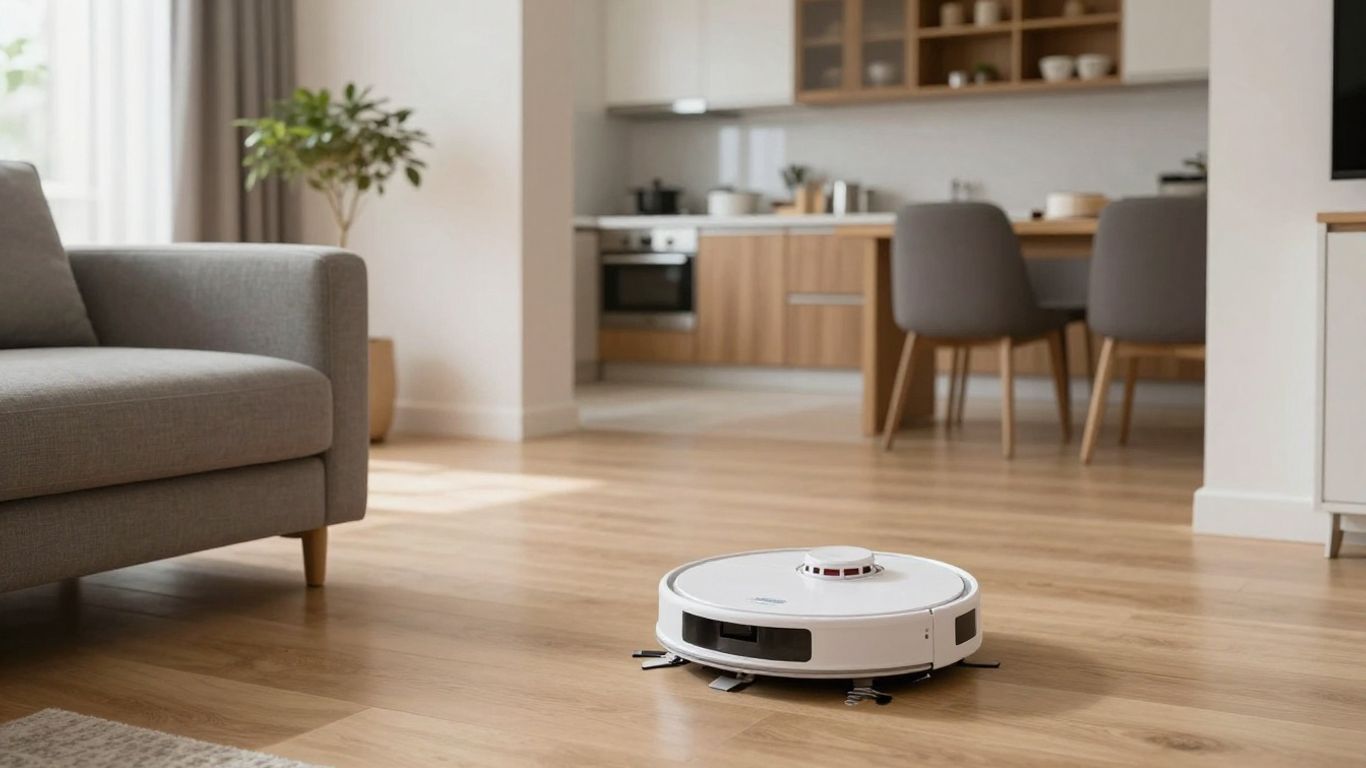
Key Takeaways
Robot vacuum mapping combines sensors, movement data, and software so your vacuum can understand and clean your home more systematically.
- Mapping helps a robot plan routes instead of wandering randomly.
- Lidar, cameras, infrared sensors, and wheel encoders each contribute different information.
- The first run usually gathers the data needed to build a usable floor plan.
- Room labels, no-go zones, schedules, and saved maps make cleaning easier to control.
- Accuracy depends on lighting, clutter, floor conditions, dock placement, and the quality of the navigation system.
- What robot vacuum mapping does
- The sensors behind robot vacuum mapping
- How a robot vacuum creates a map
- How robot vacuums navigate a mapped home
- Smart mapping features you can control
- What affects mapping accuracy
- How to choose a robot vacuum mapping system
- Conclusion
- Frequently Asked Questions
- How long does a robot vacuum take to map a home?
- Does a robot vacuum need Wi-Fi to create a map?
- Can a robot vacuum map more than one floor?
- Why does my robot vacuum keep remapping the house?
- Do robot vacuums work in the dark?
- Should I move furniture before mapping?
- Are robot vacuum maps accurate enough for no-go zones?
What robot vacuum mapping does
Robot vacuum mapping is the process of turning sensor readings into a usable picture of your home. That picture gives the robot a reference for where it is, where it has cleaned, and where it still needs to go. If you have wondered, “How Does Robot Vacuum Mapping Work?”, the short answer is that sensors collect environmental data while software continuously estimates position and plans movement.
How mapping differs from simple random cleaning
A simple robot may change direction when it meets a wall or obstacle, without remembering much about the space behind it. A mapped robot can use previous observations to create a more organized route, reducing repeated passes over the same patch of floor. It still reacts to what it sees in real time, but it is less dependent on guesswork.
This distinction matters most in larger or divided homes. Random movement can eventually cover an area, yet it may take longer and leave uncertain gaps. Mapping gives the vacuum a working layout that supports more deliberate cleaning.
The role of maps in navigation and coverage
A map acts like a reference layer rather than a perfect architectural drawing. It can show boundaries, open areas, furniture-like obstacles, and the robot’s estimated position. The vacuum compares its current sensor readings with that reference as it moves.
With that information, it can choose a direction, recognize areas it has already visited, and adjust when a route becomes blocked. The map therefore supports both navigation and coverage: it helps the robot move intelligently and gives the app a way to show you what happened.
Why mapping improves cleaning efficiency
When a robot knows the approximate shape of a room, it can divide the work into manageable paths. That usually means fewer unnecessary turns and less time spent searching for an exit or returning to the same spots. Better route planning saves battery as well as time, although the result still depends on the robot’s sensors and software.
Efficiency does not mean the vacuum ignores obstacles or difficult edges. It means the robot starts with a plan and changes that plan when new information requires it. For a useful overview of systematic navigation, you can also read this robot vacuum mapping guide.
What information a robot vacuum stores
The stored information varies by model, but it may include room boundaries, dock location, passable paths, obstacle positions, and cleaning history. Some systems let you name rooms or save more than one floor, while others keep a simpler layout.
A map is usually an estimate, not a detailed record of every object in your home. Moving a chair, opening a door, or leaving a bag in a hallway can change what the robot sees. That is why a saved map may be revised after later cleaning runs.
The sensors behind robot vacuum mapping
No single sensor explains every robot vacuum map. Different systems combine distance measurement, image recognition, proximity detection, drop detection, and movement tracking. The result is a stream of small observations that software turns into a navigable layout.
How lidar measures distance and builds a layout
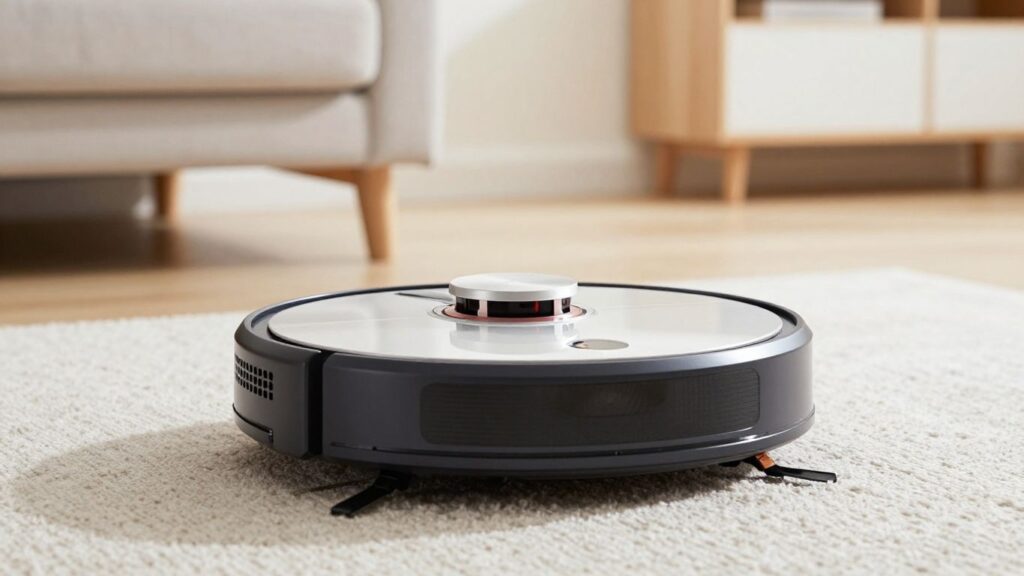
Lidar sends out light pulses and measures how long they take to return after meeting nearby surfaces. By collecting distances in several directions, the vacuum can estimate walls, corners, and the position of larger objects. As the robot moves, those measurements can be combined into a broader floor plan.
Lidar can be useful in low-light rooms because it does not depend on ordinary visible-light images in the same way a camera does. Its map is still an interpretation, and reflective or unusually shaped surfaces can create confusing readings.
How cameras recognize rooms and household objects
Camera-based systems capture visual information and use software to identify features such as edges, openings, and recognizable objects. A camera may help distinguish one part of a room from another or identify obstacles that look different from a wall.
Lighting becomes more significant here. A bright, clear room may provide useful visual detail, while darkness, glare, or a visually plain surface can make recognition harder. Camera navigation also raises privacy questions, so you should check how images and sensor data are handled.
How infrared, ultrasonic, and cliff sensors support navigation
Infrared and ultrasonic sensors can help detect nearby objects, while cliff sensors look for sudden drops at stairs or ledges. These sensors do not necessarily create the whole map by themselves. Instead, they provide short-range warnings and safety information that complement the larger navigation system.
Their practical value appears when the robot approaches a table leg, a wall, or a staircase. The vacuum can slow down, turn, or stop before contact. Sensor placement and sensitivity vary, so a robot that handles one home well may need extra preparation in another.
How wheel encoders track movement and position
Wheel encoders measure how far the drive wheels turn and in which direction. The software uses that information to estimate the robot’s movement from one moment to the next. This process is sometimes called odometry.
Odometry is useful, but it is not perfect. Small errors can accumulate when wheels slip, the robot turns on a smooth surface, or one wheel travels differently from the other. Other sensors help correct the estimate by comparing movement with walls, landmarks, and previously recorded positions.
Why sensor combinations vary by model
Manufacturers balance mapping ability against cost, size, power use, privacy expectations, and the type of home the robot is designed to clean. A model may rely mainly on lidar, mainly on a camera, or on several sensor types working together.
That combination affects more than the shape of the map. It can influence obstacle handling, performance in darkness, app features, and how quickly the robot recovers after losing its position. A list of specifications is useful, but your rooms and habits matter just as much.
How a robot vacuum creates a map
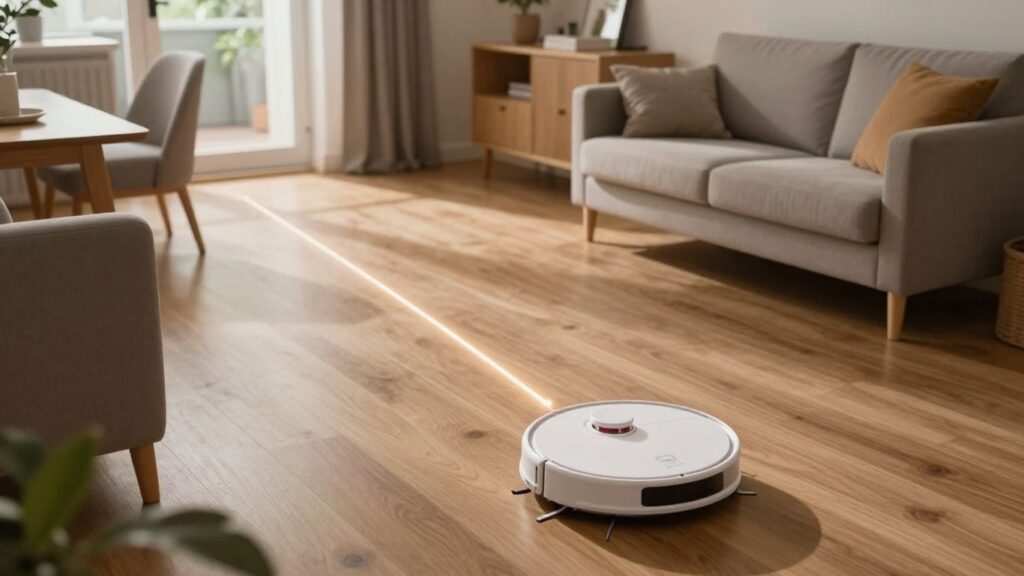
Mapping usually begins before the robot performs its most confident cleaning pattern. It moves through the home, gathers readings, estimates its position, and compares new observations with what it has already recorded. The first map may be incomplete, especially if doors are closed or the robot cannot reach every area.
How the first cleaning run gathers data
During an initial run, the vacuum may travel along walls, cross open areas, and pause or turn when sensors detect an obstruction. It is collecting distances, movement measurements, and environmental landmarks at the same time. Depending on the model, the first run may be labeled mapping, exploration, or simply a cleaning cycle that creates a map.
You can improve the result by clearing loose cords, opening the rooms you want included, and keeping the dock accessible. The robot needs enough uninterrupted movement to connect separate observations into one layout.
How simultaneous localization and mapping works
Simultaneous localization and mapping, commonly called SLAM, describes the challenge of estimating where the robot is while it builds or updates a map. The robot cannot rely on a map until it knows where it is, but it also uses the developing map to improve its position estimate.
Software handles this loop by matching repeated sensor patterns, movement data, and visible or measured landmarks. When the robot passes a familiar wall corner, for example, that observation can help correct earlier drift and place the vacuum more accurately.
How the vacuum identifies walls, furniture, and obstacles
Walls tend to create long, stable boundaries, while furniture creates shorter shapes, gaps, or isolated edges. Sensors do not understand a sofa or chair exactly as you do; they detect physical properties and software classifies or records them in a useful way.
Some obstacles remain temporary. A shoe, toy, or laundry basket may appear during one run and disappear during the next. The robot therefore treats its map as a practical model of the environment, not an unchanging inventory of household objects.
Why maps can change after repeated cleaning
Later runs provide more data. A robot may discover a room that was previously blocked, refine a boundary after passing closer to it, or revise an obstacle position after furniture moves. Small changes do not always mean the system has failed; they can reflect new observations.
Large changes are more concerning when rooms merge, the dock appears misplaced, or the robot repeatedly starts in the wrong location. In those cases, checking the dock, cleaning sensors, and reviewing the app may be more useful than immediately deleting the map.
What happens when the robot loses its position
A robot can become disoriented if it is carried to another room, the dock is moved, wheels slip, or the surroundings change significantly. It may stop, search for familiar landmarks, or return to the dock using a recovery routine. The exact response depends on the navigation system.
If recovery fails, placing the robot near the dock or restarting a cleaning run may help. Avoid moving the vacuum while it is actively mapping unless the instructions for that model allow it, because an unexpected relocation can make the stored position inconsistent.
How robot vacuums navigate a mapped home
Once a workable map exists, navigation becomes a repeating conversation between planning and sensing. The robot chooses a route, checks whether the route remains open, and updates its position as it moves. It is not simply following a frozen line on the app.
Planning efficient cleaning routes
The vacuum typically breaks open floor into paths that reduce needless overlap. It may travel around the perimeter first, follow parallel passes, or move between zones according to the route selected by its software. Battery level, obstacles, room shape, and cleaning settings can all affect the choice.
A planned route is still flexible. If a door closes or a new object appears, the robot needs to avoid it rather than blindly follow the original plan. That balance between planning and reaction is what makes mapped navigation useful in a lived-in home.
Dividing the floor plan into rooms and zones
After enough data has been collected, an app may divide the layout into areas that resemble rooms. You can often adjust those divisions, merge spaces, or create zones for a particular part of a room. The quality of those controls depends on the model and its software.
Room and zone controls make a large home easier to manage because you can request a smaller job instead of cleaning everywhere. They are especially handy for high-traffic spaces, kitchens, or entryways that need attention more often than bedrooms.
Returning to the dock and resuming a job
When the battery runs low, many mapped vacuums can navigate back to the dock, recharge, and continue a paused cleaning job. The robot uses the dock’s known location and its position estimate to guide the return. A clear approach path makes this process more reliable.
Resuming is not magic: the robot must recognize the home layout and begin from a consistent reference point. If you move the dock or carry the vacuum elsewhere, it may not be able to connect the unfinished job with the saved map.
Handling furniture, stairs, cords, and moving objects
Sensors help the robot avoid furniture and detect drop-offs, but they cannot guarantee that every thin cord or small object will be recognized. Preparation still matters. Before a scheduled run, you may want to remove fragile items, secure cables, and check areas near stairs.
The robot also has to handle change. A person walking through the room, a pet moving nearby, or a chair pulled out from a table can temporarily alter the route. Good navigation reacts to these changes without treating every temporary object as a permanent wall.
Navigating multiple floors and saved maps
Some models can store layouts for more than one floor, while others are designed around a single saved map. Multi-floor use may require you to carry the robot and sometimes the dock, depending on how the system finds its reference point.
Check the documentation before assuming that a model supports multiple maps or automatic floor recognition. A feature shown in an advertisement may work only under particular conditions, such as starting from a known location or using a specific app mode.
Smart mapping features you can control
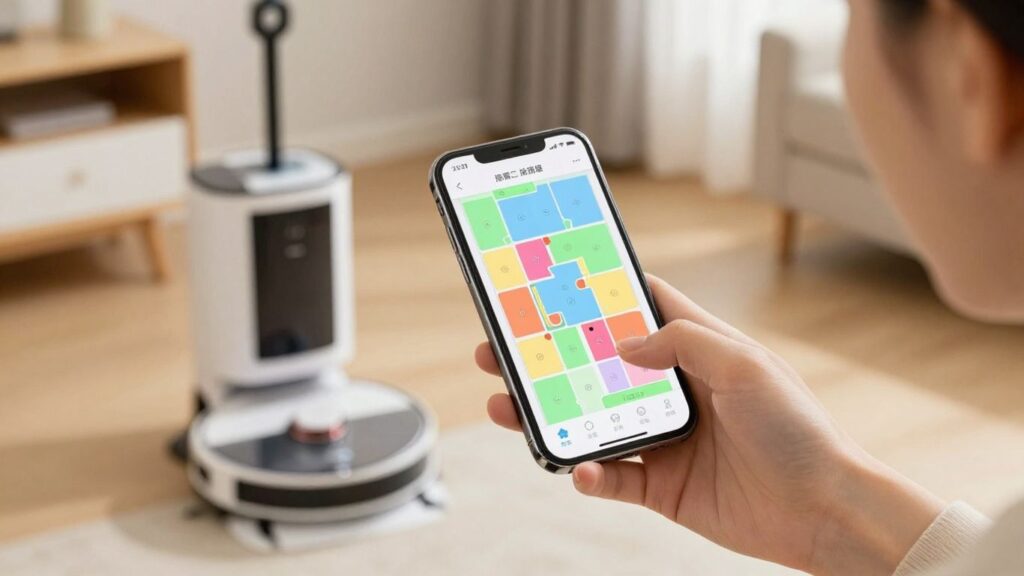
Mapping becomes most useful when the app turns the floor plan into practical choices. You may be able to name rooms, draw restricted areas, select cleaning intensity, or set recurring jobs. These tools do not replace good navigation, but they let you adapt the robot to your routines.
Setting room names and cleaning sequences
Room names make commands easier to understand than abstract rectangles or numbered zones. Once the map is divided correctly, you can select a kitchen, hallway, or bedroom and arrange a cleaning sequence that suits your day.
The labels are usually for your convenience rather than something the robot literally understands like a person. What matters is the boundary associated with each label and whether the robot can physically reach that area.
Creating no-go zones and virtual walls
No-go zones tell the robot to avoid a mapped area, while virtual walls create a digital boundary across a route. You might use them around pet bowls, delicate objects, a play area, or a section that is temporarily being used.
These controls work best when the underlying map is accurate. If furniture moves substantially or the map shifts, a restriction may no longer sit where you intended. Review the boundary after major changes rather than assuming it remains precise.
Choosing room-specific cleaning settings
Some apps let you assign different cleaning settings to different rooms or zones. For instance, you might choose more passes in an entryway and a lighter routine in a lightly used room. Available options can include suction, passes, mopping behavior, or time limits.
The useful question is not how many settings an app lists, but whether those settings match your floors and habits. More intensity can mean more noise, battery use, or time, so targeted controls are valuable when they solve a real household need.
Scheduling targeted cleaning sessions
A schedule can send the robot to selected rooms at a regular time rather than launching a whole-home cycle. That makes sense for crumbs after meals, a busy hallway, or a room that collects dust faster than the rest of the home.
Before scheduling, check that doors will be open and the floor will be ready. A carefully chosen routine still depends on access, a clear dock, and enough battery to complete the selected area.
Updating maps after rearranging furniture
Small changes may be absorbed automatically as the robot encounters them. Larger changes, such as moving a sofa across the room or changing a doorway, can confuse the old layout. Give the robot a controlled run after rearranging furniture so it can gather fresh information.
You should avoid deleting a good map simply because one object moved. If the app offers an update, restore, or remapping option, try that first. Keeping a usable map can preserve room names and restricted zones.
What affects mapping accuracy
Mapping accuracy is shaped by the home as much as by the vacuum. Sensor quality, software, lighting, flooring, clutter, and the starting position all influence the data collected. Even a capable system can produce a messy map when the robot cannot move freely or repeatedly loses traction.
Poor lighting, reflective surfaces, and dark objects
Camera-based navigation may struggle when a room is very dark, brightly lit, or full of glare. Mirrors and highly reflective surfaces can also produce visual information that does not match ordinary walls. Dark objects may be harder for some optical systems to distinguish from surrounding space.
Lidar-based systems have different strengths and weaknesses, but they are not immune to confusing surfaces or unusual geometry. If one area consistently maps badly, compare the physical conditions there with the rest of the home before blaming the software alone.
Clutter, closed doors, and changing furniture
A closed door can make a room invisible during the mapping run. Clutter can narrow a passage or create temporary boundaries, while moved furniture changes the route the robot expects to find. These are normal reasons for a map to become incomplete or outdated.
For a cleaner first map, open the rooms you want included and remove objects that could block narrow paths. You do not need an empty showroom; you simply want the robot to encounter the main shape of the home without avoidable interruptions.
Slippery floors and wheel slippage
Wheel movement is part of position estimation, so slipping can introduce errors. Smooth flooring, dust on the drive wheels, or a sudden transition between surfaces may cause the robot to travel a slightly different distance than the software expects.
When the map seems stretched, rotated, or repeatedly misaligned, inspect the wheels and keep their contact areas clean. A physical movement problem can look like a software mapping problem because both affect the robot’s estimate of location.
Dock placement and initial setup
The dock is a fixed reference point for many systems, so placement matters. It should usually have a clear approach and enough open space for the robot to leave and return without immediately hitting furniture. Follow the model’s setup guidance rather than squeezing the dock into the first available corner.
Start the first run with the robot and dock in their normal positions. If you move either one soon afterward, the saved map may no longer match the robot’s assumptions about where home is.
When to delete, rebuild, or restore a map
Deleting a map can be sensible when the layout has changed dramatically, the robot repeatedly merges separate rooms, or the saved map is clearly corrupted. It is less sensible for a single temporary obstacle or a small furniture move. Rebuilding takes time and may remove room labels and boundaries.
If the app provides a restore or backup option, use it when available before starting over. A practical troubleshooting sequence is to clean sensors, check the dock, confirm the map orientation, and run a short test before choosing a full reset.
How to choose a robot vacuum mapping system
Choosing a mapping system is less about finding the most impressive specification and more about matching the technology to your home. Consider floor plan, lighting, clutter, stairs, pets, privacy preferences, and the app controls you will actually use. A practical product buying guide can help you define those needs before comparing offers.
Buy from Flipkart
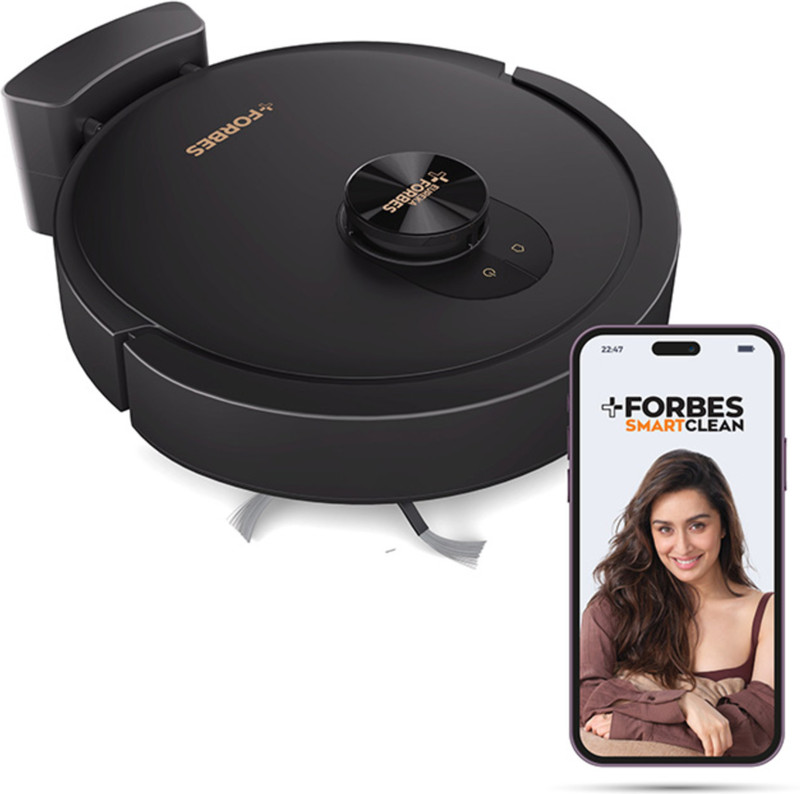
EUREKA FORBES Smartclean with Home Mapping Dyno Robotic Floor Cleaner with 2 in 1 Mopping and Vacuum (WiFi Connectivity, Google Assistant and Alexa)(Black)
Rs. 22,801 in stock
Highlights
- Robotic Floor Cleaner
- With Wi-Fi
Specifications
| In the Box | |
| Sales Package | 1 vacuum cleaner |
| General | |
| Brand | EUREKA FORBES |
| Type | Robotic Floor Cleaner |
| Dust Collecting Feature | catcher |
| Sound Level | 65 dB |
| Blower | No |
| WiFi Connectivity | Yes |
| Voice Assistant Compatibility | Google Assistant and Alexa |
| Suitable Surface | Carpet, Wooden Flooring, Tiles |
| Dust Collection System | Bagless |
| Brand Color | BLACK |
| Vacuum Type | Robotic Floor Cleaner |
| Suction Pressure | 7000 Pa |
| Color | Black |
| Model ID | Smartclean with Home Mapping Dyno |
| Additional Features | |
| Features | 2 in 1 Mopping and Vacuum |
| Key Features | 7000Pa HyperSuction Robotic Vacuum Cleaner, LiDAR 3.0 & Quick Home Mapping, Wet Mopping, 3-Hour Run Time, Smart App Control, Voice Control |
| Dimensions | |
| Width x Height x Depth | 34.5 cm x 9.6 cm x 34.5 cm |
| Net Weight | 3.2 kg |
| Performance | |
| Run Time | 180 min |
| Body | |
| Wheels | yes |
| Power | |
| Charging Time | 4-5Hrs |
| Convenience Features | |
| Pet Hair Collector | Yes |
The Eureka Forbes Smartclean with Home Mapping Dyno Robotic Vacuum Cleaner is made to deliver powerful, intelligent cleaning with minimal manual effort. Equipped with advanced navigation, strong suction, and smart controls, it ensures systematic floor cleaning across Indian homes while...
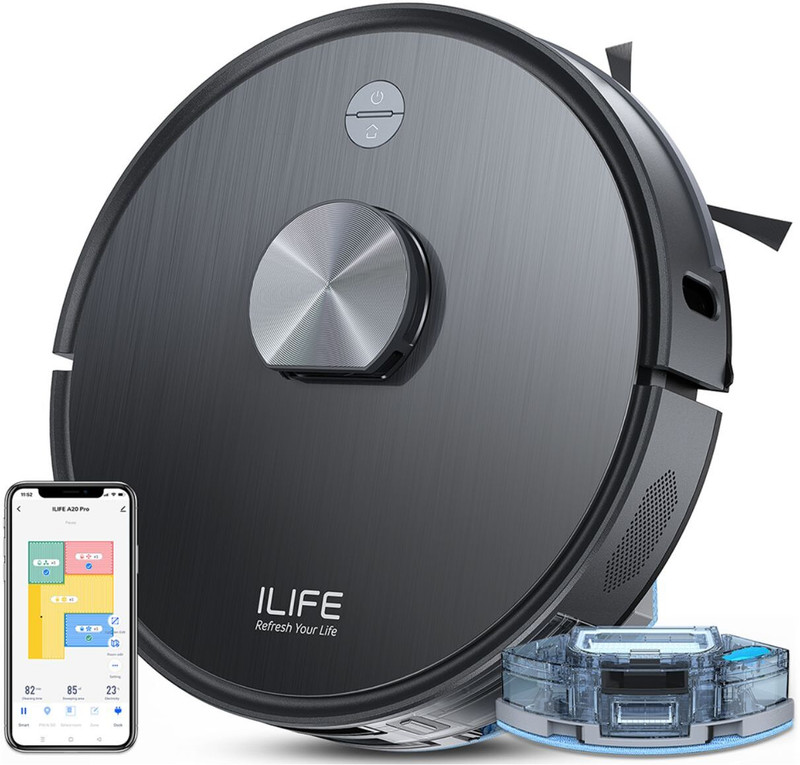
ILIFE A20 Pro LiDAR Robot Vacuum & Mop @6500Pa Suction, 5200mAh Battery, 'Y' Path Robotic Floor Cleaner with 2 in 1 Mopping and Vacuum, Reusable Dust Bag, Anti-Bacterial Cleaning (WiFi Connectivity, Google Assistant and Alexa)(Dove Gray)
Rs. 18,899 in stock
Highlights
- Robotic Floor Cleaner
- Suction Power: 6500 W
- With Wi-Fi
Specifications
| In the Box | |
| Sales Package | 1x ILIFE A20 Pro Robot Vacuum, 1x 2-in-1 Dust & Water Tank, 2x Side Brush, 1x HEPA Filter, 2x Mop Cloth, 1x Mop Stand, 1x Charging Dock, 1x Charging Adaptor, 1x User Manual, 1x Cleaning Brush |
| General | |
| Brand | ILIFE |
| Type | Robotic Floor Cleaner |
| Dust Collecting Feature | Dust tank with 300 Capacity |
| Sound Level | 60 dB |
| Blower | No |
| Filter | 4 Layers High Efficiency Filter, Re-Usable HEPA Filters, Sponge Filter, Microfilter, Primary Filter |
| Filteration system | 4 Layer Filter, High Efficiency Filter, HEPA, MicroFilter |
| WiFi Connectivity | Yes |
| Voice Assistant Compatibility | Google Assistant and Alexa |
| Suitable Surface | Carpet, Cemented Floors, Wooden Flooring, Tiles |
| Dust Collection System | Bagged |
| Cleaning Mode | Auto Mode, Edge Mode, Spot Mode, Max Mode, Do Not Disturb Mode, Deep Clean, Restricted area, Zig-Zag Mode, Self Defined Area, Multiple Maps, 'Y' Path Cleaning |
| Brand Color | Gray |
| Vacuum Type | Robotic Floor Cleaner |
| Suction Pressure | 6500 Pa |
| Color | Dove Gray |
| Model ID | A20 Pro LiDAR Robot Vacuum & Mop @6500Pa Suction, 5200mAh Battery, 'Y' Path |
| Additional Features | |
| Features | 2 in 1 Mopping and Vacuum, Reusable Dust Bag, Anti-Bacterial Cleaning |
| Additional Features | ADVANCED LIDAR NAVIGATION: The ILIFE A20 Pro can easily and completely clean your house thanks to its accurate LDS navigation technology. The A20 Pro generates a cleaning path that is both highly efficient and uses 360° and 4000S/s scanning, which results in twice as rapid mapping. By utilizing the SLAM algorithm, the robot chooses the most effective and systematic path based on its present position, ultimately achieving maximum coverage., SIMULTANEOUS VACUUM AND MOP: The ILIFE A20 Pro features an innovative design with hybrid dust and water tank, enabling simultaneous vacuuming and mopping for comprehensive cleaning, ensuring a streak-free surface. Its 2-in-1 tank system allows seamless transition between vacuuming and mopping tasks, saving time and effort., 6500PA ULTRA STRONG SUCTION: The ILIFE T20s robotic vacuum cleaner has a suction power of up to 6500Pa which guarantees efficient cleaning performance. Additionally, this machine’s incredible suction power is especially good at vacuuming deeply embedded dirt and debris out of carpets leaving them sparkling. A20 Pro also cleans even the toughest spills with strong suction power. It also works well on both hard floors and carpets despite the aggression of the mess., CONVENIENT APP CONTROL: Take control of your cleaning preferences effortlessly with the ILIFE A20 Pro robotic vacuum cleaner's interactive app control feature. Seamlessly establish virtual walls, schedule cleanings, and select various cleaning modes with ease. Tailor suction power and mop water output, while keeping track of the robot's progress, all through the user-friendly mobile app interface., PERSONALIZED CLEANING: Customize your cleaning routine with the ILIFE A20 Pro for a personalized experience. Its advanced mapping abilities and zone-customized suction/water volume ensure tailored performance to suit your home's needs. Schedule cleaning sessions and utilize the “Find Robot” feature for added convenience. Activate “Do Not Disturb” mode for silent cleaning and monitor consumable management on the map for enhanced efficiency., LONG RUNTIME WITH 5200MAH LARGE BATTERY: The ILIFE A20 Pro has a bigger 5200 mAh battery capacity, which gives it greater power and longer cleaning sessions. It provides a thorough, efficient cleaning of the entire house with a long runtime of 260 minutes. A large house of about 2800 square feet is quite easy to clean continually and without interruption., MARK TO-GO, NO-GO & NO-MOP AREAS: To clean a specific area in the house, one can create a square around that area and adjust the suction power and water volume according to the needs. Can also customize whether want the robot to vacuum, only mop, or do both in that specific area. If there is any area where don't want the robot to clean, can mark it with a red square., SMART CARPET PRESSURIZATION: The vacuum comes equipped with specialized features such as automatic carpet boost settings, enhancing its performance by intensifying suction on carpets. This provides efficient dust pickup, leaving no residue behind for a thorough cleaning experience., AUTO RECHARGE AND BREAKPOINT RESUME: The ILIFE A20 Pro has intelligent feature of auto-docks itself once it senses the battery is low to let the embedded batteries recharge which ensures consistency; Once the battery is recharged, the ILIFE A20 Pro restarts the cleaning from the same position where it left and does secondary “finishing” for perfect results. Therefore, cleaning efficiency does not require intervention by the human hand., MULTI FLOOR MAPPING: A20 Pro can save multiple maps of many floors, this feature allows for efficient and customized cleaning, as you can set specific cleaning schedules for each floor and adjust the suction power based on the floor type or level of dirtiness., VOICE ASSISTANT COMPATIBILITY: Effortlessly integrate the ILIFE A20 Pro with Google Home and Alexa for convenient, hands-free control, creating a fully connected smart home experience. Simply use voice commands and make household chores more convenient and efficient than ever before. |
| Key Features | Advanced LiDAR Navigation, Simultaneous Vacuum and Mop, 6500Pa Ultra Strong Suction, Convenient App Control, Personalized Cleaning, Long Runtime with 5200mAh Large Battery, Mark To-go, No-go and No-mop Areas, Smart Carpet Pressurization, Auto Recharge and Breakpoint Resume, Up-to 5 Floor Mapping, Voice Assistant Compatibility, 2-in-1 Floating Roller Brush, Multiple Cleaning Modes, Various Intelligent Sensors, Ergonomic & Aesthetic Design, 'Y' Path Cleaning |
| Dimensions | |
| Width x Height x Depth | 33.5 cm x 33.5 cm x 9.5 cm |
| Net Weight | 3.3 kg |
| Performance | |
| Run Time | 260 min |
| Maximum Airflow | 6500Pa |
| Body | |
| Wheels | Yes |
| Wand | Wand less |
| Cord Length | Cordless m |
| Indicators | False Warning with Voice Command, Fault Error, Beep Error |
| Other Body Features | Advanced LiDAR Navigation, Simultaneous Vacuum and Mop, 6500Pa Ultra Strong Suction, Convenient App Control, Personalized Cleaning, Long Runtime with Large Battery, Mark To-go, No-go and No-mop Areas, Smart Carpet Pressurization, Auto Recharge and Breakpoint Resume, Up-to 5 Floor Mapping, Voice Assistant Compatibility, 2-in-1 Floating Roller Brush, Various Intelligent Sensors, Multiple Cleaning Modes, Ergonomic & Aesthetic Design, 'Y' Path Cleaning |
| Power | |
| Charging Time | NA |
| Motor and Suction Power | N/A W(Motor), 6500 W(Suction) |
| Battery Voltage | N/A V |
| Power Requirement | N/A |
| Power Consumption | NA W |
| Convenience Features | |
| Retractable Cord | No |
| Pet Hair Collector | Yes |
| Other Convenience Features | Wi-Fi Connectivity, Scheduled Cleaning, Alexa and Google Home Support, Multiple Cleaning Modes, 6500Pa Strong Suction Power, Customized Cleaning, Smart App Support, 260 minutes Long Runtime, Vacuuming and Mopping at same time, Suitable for Large Room, 5200mAh Large Battery Capacity, 'Y' Path Cleaning |
Featuring a brushless fan motor, the ILIFE A20 Pro Robotic Floor Cleaner provides up to 6,500 Pa of suction power for effortless dirt and debris removal. And, LiDAR navigation intelligently maps your home for thorough cleaning. Additionally, it is equipped with dual water tanks, which spray water...
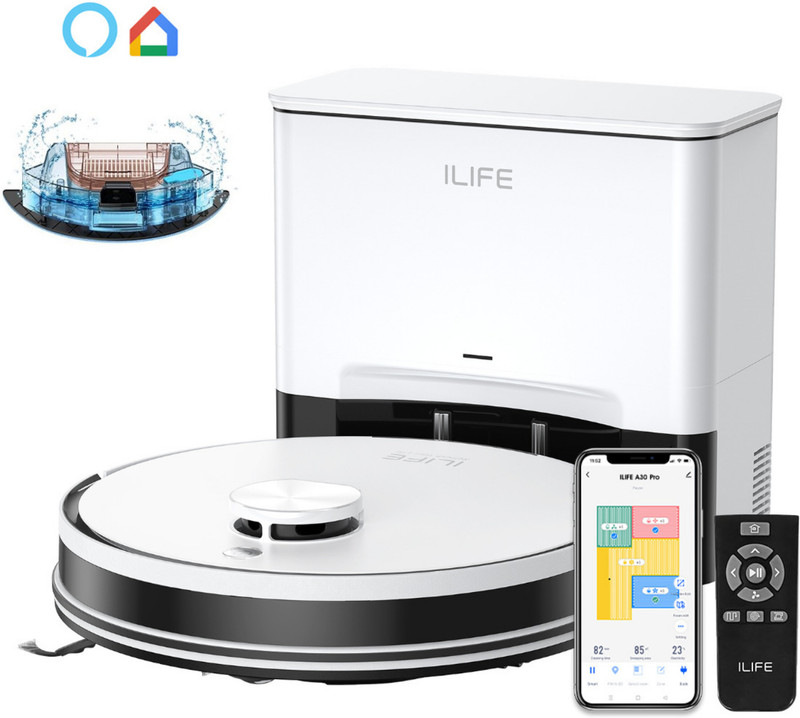
ILIFE A30 Pro Robotic Floor Cleaner Upgraded 13,000Pa Suction, LiDAR Navigation with Reusable Dust Bag, Anti-Bacterial Cleaning, 2 in 1 Mopping and Vacuum (WiFi Connectivity, Google Assistant and Alexa)(White)
Rs. 21,900 in stock
Highlights
- Robotic Floor Cleaner
- Suction Power: 13000 W
- With Wi-Fi
Specifications
| In the Box | |
| Sales Package | 1x ILIFE A30 Pro Robot Vacuum Cleaner, 1x Self-empty Docking Station, 1x 2-in-1 Dust & Water Tank, 1x Remote Control, 2x Mop Cloth, 1x Mop Base, 2x Side Brushes, 1x Cleaning Brush, 2x HEPA Filter, 5x Dust Bags, 1x User Manual |
| General | |
| Brand | ILIFE |
| Type | Robotic Floor Cleaner |
| Dust Collecting Feature | Dust tank with separate dust tank station with 2.5 Capacity |
| Sound Level | 60 dB |
| Blower | Yes |
| Filter | 4 Layers High Efficiency Filter, Re-Usable HEPA Filters, Sponge Filter, Microfilter, Primary Filter |
| Filteration system | 4 Layer Filter, High Efficiency Filter, HEPA, MicroFilter |
| WiFi Connectivity | Yes |
| Voice Assistant Compatibility | Google Assistant and Alexa |
| Suitable Surface | Carpet, Cemented Floors, Tiles, Wooden Flooring |
| Dust Collection System | Bagged |
| Cleaning Mode | Auto Mode, Edge Mode, Spot Mode, Max Mode, Do Not Disturb Mode, Deep Clean, Restricted area, Zig-Zag Mode, Self Defined Area, Multiple Maps, 'Y' Path Cleaning |
| Brand Color | White |
| Vacuum Type | Robotic Floor Cleaner |
| Suction Pressure | 13000 Pa |
| Color | White |
| Model ID | A30 Pro |
| Additional Features | |
| Features | Reusable Dust Bag, Anti-Bacterial Cleaning, 2 in 1 Mopping and Vacuum |
| Additional Features | ILIFE A30 Pro Robot Vacuum Cleaner features upgraded 13,000Pa powerful suction and precision LiDAR navigation for efficient, intelligent whole-home cleaning. Vacuum and mop simultaneously with Y-shaped mopping, smart carpet pressurization, customizable water flow, and multiple cleaning modes for hard floors and carpets. Enjoy hands-free cleaning for up to 7 weeks with the self-emptying station, while app, remote, Alexa and Google Assistant controls make everyday cleaning effortless. Ideal for homes with carpets, hard floors, pets, daily dust and debris, with multi-floor mapping, no-go/no-mop zones, auto-recharge and breakpoint resume for convenient, personalized cleaning. |
| Key Features | Advanced LiDAR Navigation, Up to 7 Weeks of Continuous Cleaning, Simultaneous Vacuum and Mop, Convenient App & Remote Control, Personalized Cleaning, 'Y' Shape Path Cleaning, Mark To-go, No-go and No-mop Areas, Smart Carpet Pressurization, Auto Recharge and Breakpoint Resume, Up-to 5 Floor Mapping, Extended Runtime For Whole-home Cleaning, Voice Assistant Compatibility, 2-in-1 Floating Roller Brush, Multiple Cleaning Modes, Various Intelligent Sensors, Ergonomic & Aesthetic Design, 13000Pa Suction Power |
| Dimensions | |
| Width x Height x Depth | 31.5 cm x 31.5 cm x 7.6 cm |
| Net Weight | 2.9 kg |
| Performance | |
| Run Time | N/A min |
| Maximum Airflow | 13000 |
| Body | |
| Wheels | Yes |
| Wand | Wand less |
| Cord Length | Cordless m |
| Indicators | working status, mode selection, cleaning progress or any issue |
| Other Body Features | Advanced LiDAR Navigation, Up to 7 weeks of Continuous Cleaning, Simultaneous Vacuum and Mop, 'Y' Shape Path Cleaning, Convenient App & Remote Control, Extended Runtime For Whole-home Cleaning, Personalized Cleaning, Mark To-go, No-go and No-mop Areas, Smart Carpet Pressurization, Auto Recharge and Breakpoint Resume, Up-to 5 Floor Mapping, 2-in-1 Floating Roller Brush, Various Intelligent Sensors, Ergonomic & Aesthetic Design |
| Power | |
| Charging Time | NA |
| Motor and Suction Power | N/A W(Motor), 13000 W(Suction) |
| Battery Voltage | N/A V |
| Power Requirement | N/A |
| Power Consumption | NA W |
| Convenience Features | |
| Retractable Cord | Yes |
| Pet Hair Collector | Yes |
| Other Convenience Features | Wi-Fi Connectivity, Multiple Cleaning Modes, Customized Cleaning, Smart App Support, Realtime Voice Notification, Suitable for Large Room, Large Battery Capacity |
ILIFE A30 Pro�comes with�a new and upgraded 13K Pa suction system, delivering powerful cleaning performance to pick up dust, pet hair, crumbs, and debris from both hard floors and carpets. Whether you're dealing with everyday dirt, fine particles, or stubborn messes, the enhanced suction...
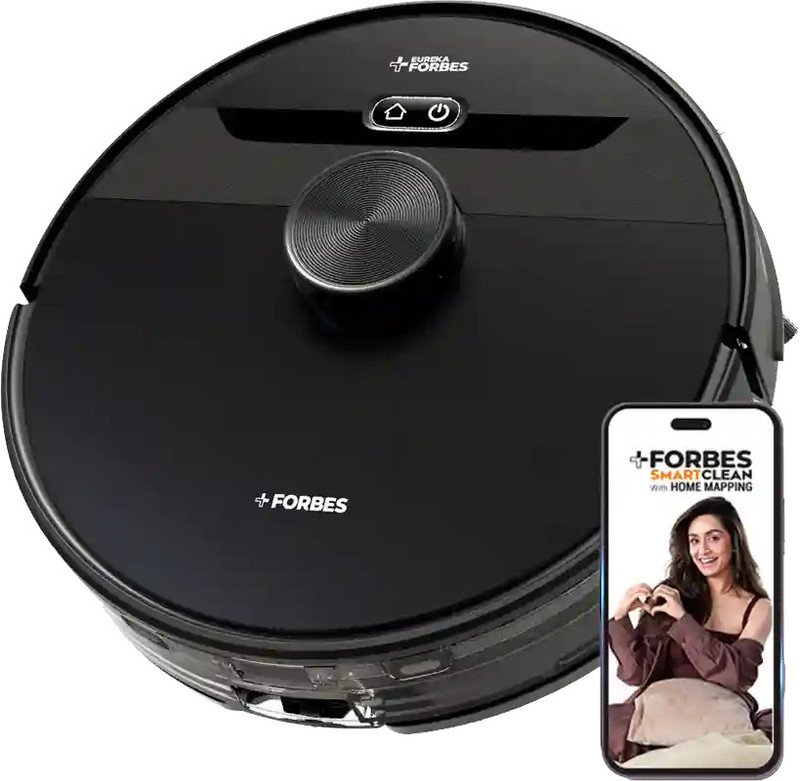
EUREKA FORBES Smartclean with Home Mapping Pro S2 Robotic Vacuum Cleaner Wet & Dry Vacuum Cleaner (WiFi Connectivity)(Black)
Rs. 23,378 in stock
Highlights
- Wet & Dry Cleaner
- With Wi-Fi
Specifications
| In the Box | |
| Sales Package | 1 pcs vacuum cleaner |
| General | |
| Brand | EUREKA FORBES |
| Type | Wet & Dry Cleaner |
| Filter | Hepa |
| WiFi Connectivity | Yes |
| Brand Color | Black |
| Vacuum Type | Wet & Dry Cleaner |
| Color | Black |
| Model ID | Smartclean with Home Mapping Pro S2 Robotic Vacuum Cleaner |
| Additional Features | |
| Additional Features | Designed for Indian Homes & All Floor Types: Tailored specifically for Indian homes, the Eureka Forbes SmartClean with Home Mapping Turbo performs exceptionally well on wood, tile, marble, and carpeted floors, ensuring flawless cleaning across all surfaces, 3S Mopping Technology: Smart, Scratch-Free, Silent (Quiet Mode) offers customisable mopping levels suitable for tiles, marble, wooden floors, and carpets, Smart App Control with Custom CleanAssist: Take control from anywhere with the Smart Life app. Customize your cleaning schedule, target specific areas, and adjust modes with just a few taps for a hassle-free experience |
| Key Features | Free Post-Purchase Virtual Demo: Get fully acquainted with all the features of your new smart cleaner through a complimentary virtual demo, 9000Pa Hyper Suction Power & 5-Hour Runtime: Experience the incredible power of up to 9000Pa Suction (in Max mode), engineered to lift even the finest dust and debris, leaving your floors impeccably clean with minimal effort. Powered by a 5,000 mAh (typical) battery, it delivers up to 5 hours of uninterrupted cleaning-covering approximately 3,000 sq. ft. in Quiet Mode. An ideal choice for large homes or extended cleaning sessions without interruptions, AI-Powered LiDAR 3.0 with Smart Navigation with 360° Real-Time Quick Home Mapping in 5 Minutes: Navigate smarter with LiDAR 3.0 technology, delivering accurate home mapping and precise, thorough cleaning across every room with seamless efficiency. Enjoy complete home coverage with 360° real-time mapping, finished in just 5 minutes. |
| Dimensions | |
| Width x Height x Depth | 35 cm x 9 cm x 34 cm |
| Net Weight | 3 kg |
| Performance | |
| Run Time | 240 min |
| Body | |
| Wheels | Yes |
Free Post-Purchase Virtual Demo: Get fully acquainted with all the features of your new smart cleaner through a complimentary virtual demo 9000Pa Hyper Suction Power & 5-Hour Runtime: Experience the incredible power of up to 9000Pa Suction (in Max mode), engineered to lift even the finest dust...
Comparing lidar, camera-based, and hybrid navigation
Lidar systems measure distance directly and can build layouts without relying entirely on visible-light images. Camera-based systems use visual information and may offer useful object recognition, but lighting has a larger role. Hybrid systems combine several sources of data to cover different navigation problems.
None of these categories guarantees perfect performance. Look for evidence about the conditions that resemble your home, including dark rooms, reflective surfaces, thick rugs, narrow passages, and multiple floors.
Balancing mapping accuracy, privacy, and cost
A more advanced sensor package can raise the price, and camera-based navigation may prompt stronger privacy questions than a system based primarily on distance readings. You should decide what trade-offs feel acceptable before focusing on discounts.
If you browse Promo Deals for price drops, compare the actual mapping features rather than assuming every sale model has the same navigation system. A lower price is useful only when the robot still fits your home and expectations.
Checking app features and smart-home compatibility
The app should make the map understandable and editable. Check whether it supports room selection, no-go zones, schedules, saved maps, cleaning history, and the controls you care about. Also confirm whether it works with the smart-home platform you already use.
Compatibility can depend on region, account setup, firmware, or a particular model variant. Read the product details carefully before treating a generic phrase such as “smart home ready” as a promise of a specific integration.
Evaluating performance in your home layout
Think through the route from the dock to the rooms you want cleaned. Are there raised thresholds, tight gaps, stairs, glass doors, long corridors, or areas that are often blocked? A robot that maps an open apartment well may behave differently in a house with many transitions.
For deal-focused shopping, Promo Deals can help you compare available offers, but your checklist should come first. Note the features that matter, then assess whether the advertised model meets them instead of letting a large discount decide for you.
Understanding the limits of marketing claims
Words such as intelligent, precise, and advanced can describe very different experiences. Look for specific information about sensors, map storage, room controls, obstacle handling, multi-floor support, and conditions that may reduce accuracy.
You should also separate a feature from a guaranteed result. Mapping can improve route planning, but it cannot make every home obstacle-free or ensure that every edge receives identical coverage. The most reliable choice is the one whose documented limits fit your real rooms.
Conclusion
Robot vacuum mapping works by combining sensor readings, movement estimates, and software that turns changing observations into a usable floor plan. Once you understand how the map is created and what can disrupt it, you can set up the dock well, prepare rooms sensibly, choose useful app controls, and judge competing systems on practical performance rather than marketing language.
Frequently Asked Questions
How long does a robot vacuum take to map a home?
It depends on the floor area, layout, battery, sensor system, and whether the robot must recharge. A first run can take longer than later cleaning because the vacuum is exploring and recording the space.
Does a robot vacuum need Wi-Fi to create a map?
Some models can navigate and build a basic map without continuous internet access, while app features may require Wi-Fi. Check the individual model’s instructions because local controls and cloud features differ.
Can a robot vacuum map more than one floor?
Some models support multiple saved maps, but the number of floors and the way you move the robot between them vary. Confirm whether the system requires a dock on each floor or a manual map selection.
Why does my robot vacuum keep remapping the house?
Repeated remapping can result from moving the dock, carrying the robot, changing furniture, closing doors, wheel slippage, or a navigation error. Check the physical setup and sensors before deleting the saved map.
Do robot vacuums work in the dark?
Lidar-based systems can often measure distance without ordinary room lighting, while camera-based systems may depend more on visible conditions. Darkness is only one factor; reflections, clutter, and object shape can also affect navigation.
Should I move furniture before mapping?
You should remove temporary clutter and open the rooms you want included, but you do not need to empty the home. Keep important furniture in its normal position so the map reflects the environment the robot will usually clean.
Are robot vacuum maps accurate enough for no-go zones?
They can be useful for no-go zones when the map is stable and the robot consistently recognizes the layout. Recheck boundaries after moving furniture, changing rooms, or noticing that the robot’s position appears misaligned.